Netgear EXS27 Setup, Reset, Lights & Firmware Update
Official sources used for this guide
- NETGEAR EXS27 support and downloads
- NETGEAR: Set up a WiFi range extender
- NETGEAR: Troubleshoot access to mywifiext.net
Menus, LEDs and supported features vary by model and firmware. Check the model label and current manufacturer documentation before changing settings.
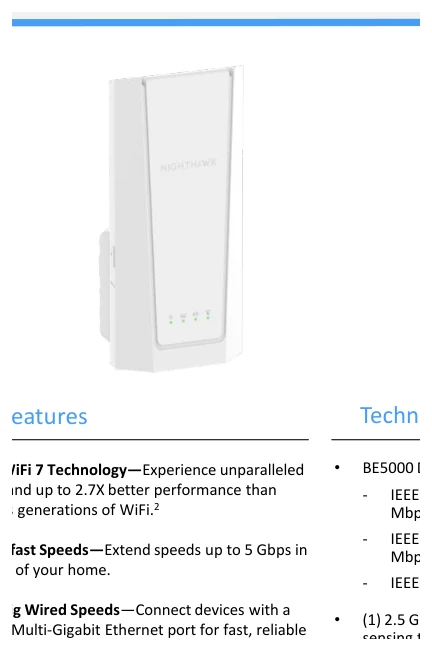
The EXS27 is a Nighthawk BE5000 dual-band WiFi 7 extender with One WiFi Name, Smart Roaming, three internal antennas and a 2.5 GbE Multi-Gigabit Ethernet port.
1. Netgear EXS27 Overview
EXS27 extends an existing router or ISP gateway using WiFi 7. The supplied specification lists up to 689 Mbps on 2.4 GHz and 4320 Mbps on 5 GHz, for a BE5000 class connection. One WiFi Name and Smart Roaming are designed to reduce manual network switching around the home.
Its hardware includes three internal antennas, a 1.0 GHz dual-core processor, smart LED indicators and one 2.5 GbE port.
2. Netgear EXS27 Setup
EXS27 Setup with the Nighthawk App
EXS27 WPS Setup
3. EXS27 WiFi 7 & 2.5 GbE Features
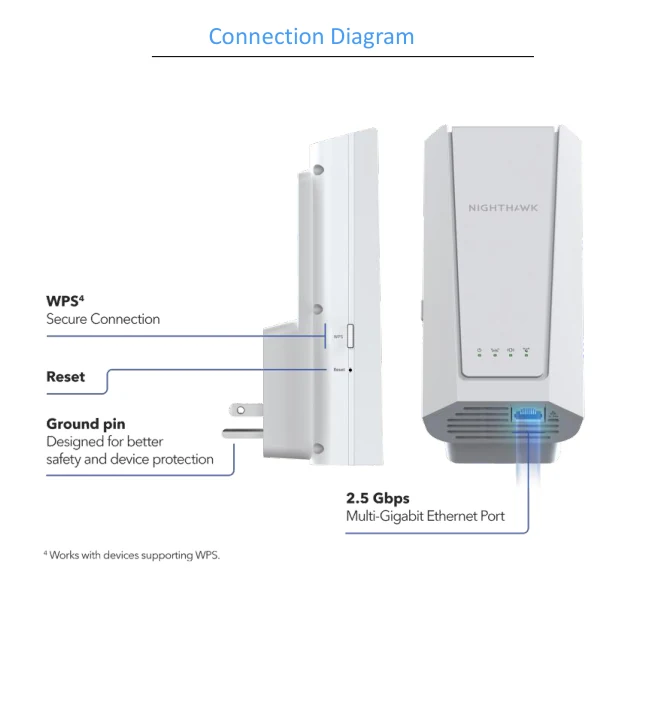
4. Netgear EXS27 Lights & Indicators
| Indicator/control | Purpose |
|---|---|
| Smart LEDs | Setup and connection status. |
| WPS | Push-button secure connection. |
| Reset | Recessed factory-reset control. |
| 2.5 GbE | Multi-Gig Ethernet port. |
5. Netgear EXS27 Login
EXS27 is designed to be managed through the Nighthawk app and the management options exposed by its current firmware. Use the local management method shown by the setup flow rather than assuming legacy extender credentials.
6. How to Reset Netgear EXS27
Factory reset removes the EXS27's WiFi 7 extender configuration. Keep the unit powered, use the recessed reset control for the duration documented for this model, and wait for the BE5000 extender's startup indicators to stabilise before beginning onboarding again.
7. Netgear EXS27 Firmware Update
The newest official NETGEAR EXS27 firmware article found during this build lists version 1.0.1.34. Use only EXS27 firmware and keep power connected until the update and restart finish.
8. Netgear EXS27 Troubleshooting
WPS does not complete
Move the EXS27 closer to the router and retry. If WPS remains unsuccessful, use the Nighthawk app.
WiFi 7 speed is lower than the specification
Actual throughput depends on the router, client radio, walls, interference and network traffic.
2.5 GbE links below Multi-Gig
Verify the cable and both upstream/downstream ports support speeds above 1 Gbps.
9. Netgear EXS27 Specifications
| Item | Detail |
|---|---|
| Product | Nighthawk BE5000 5-Stream WiFi 7 Extender |
| 2.4 GHz | Up to 689 Mbps |
| 5 GHz | Up to 4320 Mbps |
| Ethernet | 1 × 2.5 GbE |
| Antennas | 3 internal |
| Dimensions | 169.1 × 78.7 × 42.6 mm |
| Weight | 336 g |
10. Netgear EXS27 FAQs
Is EXS27 WiFi 7?
Yes, it supports 802.11be.
Does it have 2.5 GbE?
Yes, one Multi-Gig Ethernet port.
How can it be set up?
The supplied specification lists WPS and the Nighthawk app.
Does it support WPA3?
Yes.