Netgear EX6400 Setup, One WiFi Name, Nighthawk, WPS & Login
Official sources used for this guide
- NETGEAR EX6400 support and downloads
- NETGEAR: Set up a WiFi range extender
- NETGEAR: Troubleshoot access to mywifiext.net
Menus, LEDs and supported features vary by model and firmware. Check the model label and current manufacturer documentation before changing settings.
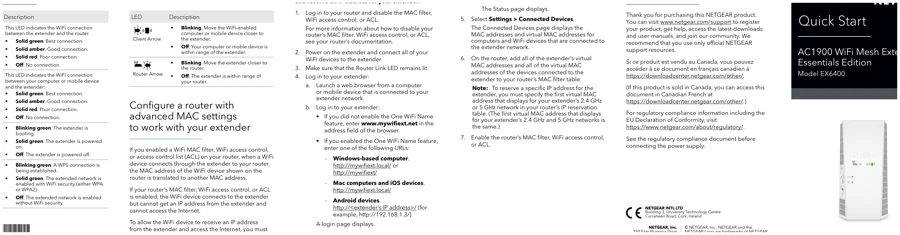
EX6400 is an AC1900 WiFi mesh extender whose quick-start guide emphasises One WiFi Name, Nighthawk app setup, WPS and platform-specific local login.
1. Netgear EX6400 Overview
The EX6400 quick-start flow is designed to minimise separate extender SSIDs. One WiFi Name is enabled after setup, allowing the extended network to mirror the router's wireless names and passwords.
2. Netgear EX6400 setup Guide
Install the Nighthawk app, join NETGEAR_EXT and follow the prompts, or use WPS if preferred. After setup, move the EX6400 to a position with a healthy Router Link and reconnect devices to the shared WiFi name.
3. EX6400 One WiFi Name & Mesh-Style SSID Behaviour
The EX6400 quick-start flow is designed to minimise separate extender SSIDs. One WiFi Name is enabled after setup, allowing the extended network to mirror the router's wireless names and passwords.
| Feature | EX6400 detail |
|---|---|
| WiFi | AC1900 mesh extender |
| Primary feature | One WiFi Name |
| Setup options | Nighthawk app / WPS |
| Setup SSID | NETGEAR_EXT |
| Local login | Platform-dependent with shared SSID |
4. Netgear EX6400 Login & Local Management
If One WiFi Name is disabled, use www.mywifiext.net. With One WiFi Name enabled, Windows can use mywifiext or mywifiext.local, Mac/iOS use mywifiext.local, and Android should use the extender IP address.
5. How to Reset Netgear EX6400
Use the Reset button to return the EX6400 to default settings. Keep the button pressed for the documented reset interval and wait for the Power LED sequence and reboot.
6. Netgear EX6400 Firmware Update
Use NETGEAR's official EX6400 support page or web interface for firmware maintenance. Confirm the hardware revision before installing any firmware package.
7. Netgear EX6400 Troubleshooting
8. EX6400 shared-SSID and roaming checks
Use the EX6400 link/placement indicators before changing passwords or performing a factory reset. A weak router-to-extender link can make otherwise correct setup credentials appear unreliable. If a client connects to EX6400 but Internet access fails, verify the router uplink first, then check DHCP/gateway information on the client. A connected WiFi icon only confirms the local radio association.
EX6400 Model-Specific Quick Diagnosis
This AC1900 mesh extender guide uses the following checks to keep EX6400 troubleshooting distinct from other extender families.
| Observed symptom | EX6400-specific next check |
|---|---|
| One WiFi Name hides the extender SSID | Look for the shared router SSID and identify the EX6400 through the router client list. |
| Roaming client stays on the router | Toggle WiFi on the client near the EX6400; client roaming decisions are not controlled entirely by the extender. |
| Ethernet client works but WiFi does not | Check extended-band enablement and SSID broadcast settings in the local interface. |
| Update appears stuck | Keep power connected and wait for a complete reboot before attempting recovery or reset. |
9. Netgear EX6400 FAQs
What is the main setup method for EX6400?
Install the Nighthawk app, join NETGEAR_EXT and follow the prompts, or use WPS if preferred.
How do I log in to EX6400?
If One WiFi Name is disabled, use www.mywifiext.net. With One WiFi Name enabled, Windows can use mywifiext or mywifiext.local, Mac/iOS use mywifiext.local, and Android should use the extender IP address.
How do I reset EX6400?
Use the Reset button to return the EX6400 to default settings. Keep the button pressed for the documented reset interval and wait for the Power LED sequence and reboot.
How should I update EX6400 firmware?
Use NETGEAR's official EX6400 support page or web interface for firmware maintenance. Confirm the hardware revision before installing any firmware package.